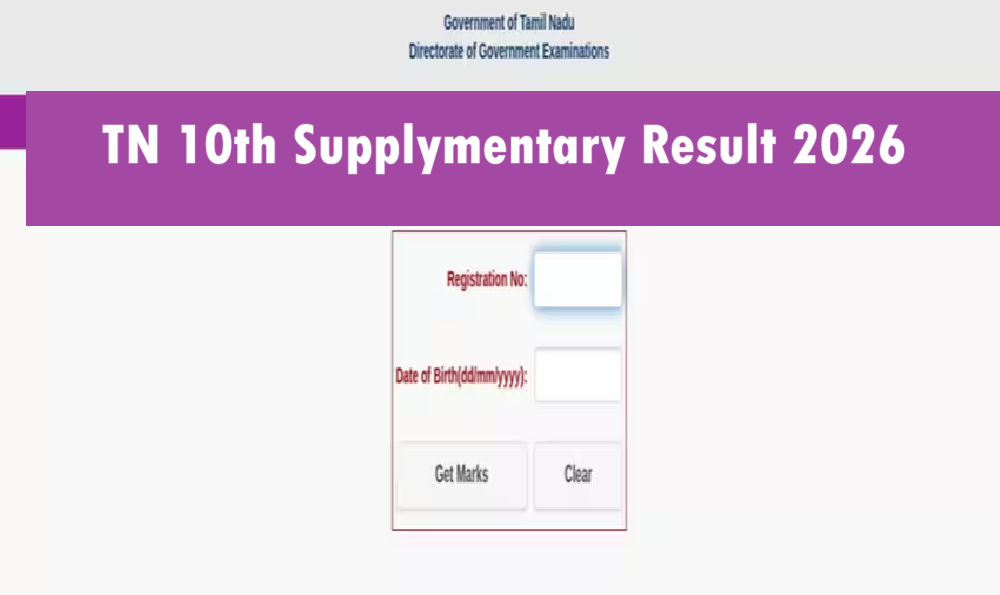
The Directorate of Government Examinations (DGE), Tamil Nadu, will declare the TN 10th Supplementary Results 2026 on 2 August 2026. Students who appeared for the SSLC (Class 10) Supplementary Examination 2026 can check their results online through the official website tnresults.nic.in.
The Tamil Nadu SSLC Supplementary Examinations were conducted from 8 July to 15 July 2026 for students who were unable to clear one or more subjects in the regular board examination or wished to improve their performance. Once the result link is activated, candidates can download their provisional SSLC Supplementary Marksheet by entering their Registration Number and Date of Birth.
TN 10th Arrear Result 2026 and Marks Card Link- https://tnresults.nic.in
TN SSLC Supplementary Result 2026 Overview
| Conducting Board | Directorate of Government Examinations (DGE), Tamil Nadu |
| Examination Name | TN SSLC Supplementary Examination 2026 |
| Class | 10th |
| Exam Dates | 8 July to 15 July 2026 |
| Result Date | 2 August 2026 |
| Result Mode | Online |
| Credentials Required | Registration Number & Date of Birth |
| Official Websites | tnresults.nic.in, dge.tn.gov.in |
TN 10th Supplementary Result 2026 Date
The TN SSLC Supplementary Result 2026 will be released on 2 August 2026. Students are advised to keep their registration number ready so they can access their results immediately after the direct link becomes active.
The online marksheet will be provisional. The original marksheet will be issued later through the respective schools.
Important Dates
| Event | Date |
|---|---|
| SSLC Supplementary Exam Start | 8 July 2026 |
| SSLC Supplementary Exam End | 15 July 2026 |
| Result Declaration | 2 August 2026 |
| Original Marksheet Distribution | To Be Announced |
Official Websites to Check TN SSLC Supplementary Result 2026
Students can check their results on the following official websites:
- tnresults.nic.in
- dge.tn.gov.in
- dge1.tn.nic.in
- dge2.tn.nic.in
How to Download TN 10th Supplementary Marksheet 2026?
Follow these simple steps:
- Visit the official website tnresults.nic.in.
- Click on the “SSLC Supplementary Result 2026” link.
- Enter your Registration Number and Date of Birth.
- Click on the Submit button.
- Your result will appear on the screen.
- Download the provisional marksheet PDF and take a printout for future reference.
Details Mentioned on TN SSLC Supply Marksheet
Students should verify the following details carefully:
- Student Name
- Registration Number
- Date of Birth
- School Name
- Subject-wise Marks
- Total Marks
- Grade
- Result Status
- Pass/Fail Status
tnresults.nic.in 2026 SSLC Supply Result Live Updates
Update 1:
The TN 10th Supplementary Result 2026 will be declared on 2 August 2026.
Update 2:
The SSLC Supplementary Examination 2026 was conducted from 8 July to 15 July 2026.
Update 3:
Students can check their results using their Registration Number and Date of Birth.
Update 4:
The provisional SSLC marksheet will be available for download immediately after the result is announced.
Update 5:
Students are advised to keep their admit card ready before the result link is activated.
Update 6:
If the official website becomes slow due to heavy traffic, students should wait a few minutes and try again later.
FAQ – TN 10th Supplementary Results 2026
When will the TN 10th Supplementary Result 2026 be released?
The result will be declared on 2 August 2026.
Where can I check the TN SSLC Supplementary Result 2026?
Students can check their results on tnresults.nic.in and dge.tn.gov.in.
What credentials are required to check the result?
Candidates need their Registration Number and Date of Birth.
When were the TN SSLC Supplementary Exams conducted?
The examinations were held from 8 July to 15 July 2026.
Can I download the marksheet online?
Yes. Students can download the provisional SSLC Supplementary Marksheet from the official result portal after the declaration.

Gaurav Gupta is an education content expert with 14 years of experience in covering board results, admissions, and exam updates. He provides accurate and timely information through BoardResults.Date to help students stay informed. Website: https://boardresults.date/.